Are you interested in learning more about how to host an in-person or virtual summer camp or after school club for students to get them excited about coding and computer science? You can host a club or camp focused on app design and app prototyping in 10 easy steps.
App prototyping is the process of creating a working model of an app. Before spending a lot of time writing the code for an app, you can create a prototype to help you map out the interactivity and features of the app. Essentially creating models of each screen, the features of the app, and demonstrating what happens when you push a button. Does the app go to the camera app, a photo gallery, a data entry tool, or back to the home screen?
I hope you are able to join me to learn more about hosting a summer coding camp or after school club focused on app design and app prototyping as a way to get students excited to learn more about computer science, coding, and app development. You can also integrate smaller pieces of this experience into any content area class to introduce the concept and help students make cross-curricular connections.
In addition to getting students excited about computer science and helping them to be more aware of the app development process, all of the materials that you need to help guide you through the process are completely free from Apple and can be used by anyone, regardless of having any coding experience. Resources are linked below.
Session Description
Learn 10 steps to guide you from start to finish in organizing and holding a virtual or in-person summer camp or after school coding club for students focused on app design and prototyping to build their interest in learning how to code and develop iOS apps. Hear about the process and free resources available to help your students learn more about app design, UI, and UX while prototyping a working model of an app using the Keynote app on the iPad to help solve a problem or challenge in their community. No previous coding experience needed.
Google Slides and PowerPoint users can follow this process, too.
Presentation Slides
Marketing:
Creating a flyer to get information about the camp out to students, staff, and families is a very important step in the process so that everyone knows about the opportunity. Fortunately there are lots of great tools, apps, and applications that you can use to create your flyer.
I used Keynote and shapes from the built-in shapes library to create the flyer shown below.
Layout and Graphic Design:
Keynote
PowerPoint
Google Slides
Canva
Google Drawings
Adobe Spark
Creating A Balanced Schedule
Think about how much time you want students to spend on the coding activities each time that you are meeting with students to allow for a balance between time spent on devices and times spent moving, outside, or with family doing screen-free activities.
To Code Or Not
If you want to include coding in your app design and prototyping camp, there are lots of ways to do so even if your students have very little or even no previous coding experience. Swift Playgrounds, a free app available on the iPad, is a great way to learn about the Swift coding language by guiding a character through levels and practicing the code in the guide on the left side to see what happens in the viewer on the right side. Scratch is another great option for getting students starting with coding.
Recruiting And Enrolling Students
Use whatever networks that you have available to market your camp and attract and sign up students.
Virtual Learning vs. In-Person Instruction
If you are teaching coding in-person in the classroom, you can skip past this step. If you are teaching students in a virtual learning situation, then you may need to choose a video conferencing application to connect with your students and share your screen. Your district probably already has an approved app, but if not, there are several to choose from.
Make Resources Easy To Find And Return To
Use a learning management system (LMS), website, or other content management system to collect resources that you want to distribute or collect from students to allow them to return to materials and resources and continue working on their app prototypes outside of your camp time.
App Ideas:
Where to start? We had students brainstorm ideas of apps that they thought could help solve problems or challenges in their communities or could help to promote opportunities or resources that people might not know about.
We used the Google Jamboard app. Padlet would be another great resource for this task too. Both of these apps allow students to add sticky notes to a board to share ideas with others. By using a collaborative community board, students who were still struggling to come up with ideas were able to take inspiration from the ideas shared by others.
Learning About App Design:
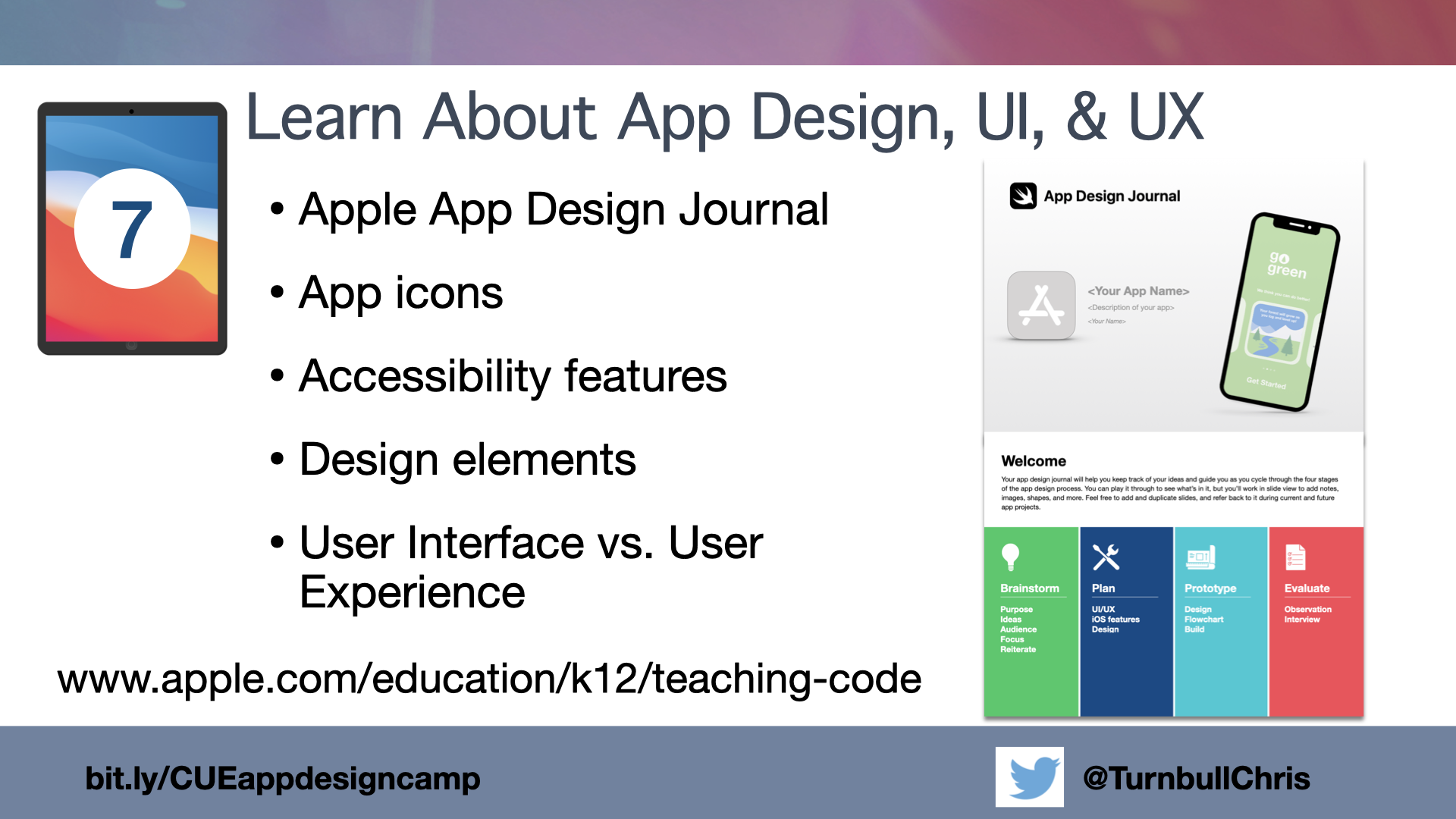
Apple has an awesome App Design Journal that is a Keynote file that guides students through the four stages of the app design process: brainstorm, plan, prototype, and evaluate. The journal is loaded with helpful information and spaces for students to sketch, write, and record their thoughts as they move through the process.
Creating An App Prototype:
Creating an app prototype is very helpful for developers so that they have an overall blueprint for their app, the number of screens they will need to create, and the interactivity that they will need to include in their coding of the app.
The app prototype allows app developers to provide a working model to their potential target audience to get feedback about interest in the app concept, user interface appeal, and user experience in terms of how easy the app is to figure out and navigate as well as potentially missing features that they should include. By observing users navigate their app, developers can proactively debug potential problems or add wanted new features before spending hundreds of hours coding the app.
Apple provides an iPad app prototype and an iPhone prototype in the App Design Journal that students can use as a model to see how each slide represents a screen in the app and how the buttons control the navigation when the slide show is run rather than just advancing to the next slide.
iPad App Prototype Provided In App Design Journal
Building Interest - Creating A Good Pitch Statement:
Having a short, attention grabbing app pitch to get potential users interested in your app and convince them why your app stands above competitors is just as important as having great UI and UX.
FlipGrid works really well for students to record both audio pitches and record their screens to demonstrate app functionality. Recordings can be limited to the amount of time that students will have to present their apps to help them to become more fluent through repeated practice. Best of all, students can watch and listen to their own recordings to get an objective sense of how they did and what parts they need more practice on before pitching their app to others.
Celebrating Student Success:
Holding an app showcase provides the opportunity to give students some public recognition of their hard work and to share their app prototype with a panel of knowledgeable judges who can give students some short feedback and tips on how to make their prototypes even better.
Apple provides an App Showcase Guide that can be used by organizers and judges to help guide organizing the showcase and giving feedback to students.
Keep The Interest Going:
Follow up on your camp and the showcase by creating elective computer science courses using the Everyone Can Code and Develop in Swift curriculum available for free from Apple in the Books app to open new doors, pathways, and worlds for your students as they develop their skills and interests in computer science.
Resources:
Apple Teacher Learning Center - Learn about iPads, apps, Mac computers, applications, and integration ideas. Get started earning your Apple Teacher badges. App Design Journal - Keynote file students can use to guide them through the app design and app prototyping process. App Showcase Guide - Tips, suggestions, and steps to hosting an app development or app prototyping showcase. Google Jamboard - Internet-based collaborative whiteboard. Great for collaborative brainstorming. Saves in your Google account. Keynote - Apple presentation app for iPads and Apple computers. Awesome for creating presentations, drawing, animation, video, and layout and design. PowerSchool Schoology - Learning Management System for hosting courses and groups making it easy for students to find, access, and share materials and learning.