Showing posts with label personalized learning. Show all posts

Friday, June 21, 2019

ISTE19: 30 Plus Ways To Use Your iPad For Personalized Professional Development

Are you looking for free or low cost professional development opportunities? Do you have an iPad? You can use several apps to find the content to create your own personalized professional development.


There are multiple free and low-cost apps, as well as iPad-friendly websites, that you can tap into to personalize your own professional development on the topics that you are interested in. Since the iPad is mobile, you can work through your curated PD resource when and wherever you like as best fits your schedule.


Come join me on Monday, June 24 to learn more about how the iPad just might be the most versatile learning device available.

Resources:
I listed the apps below in categories of how the apps can be used for personalized professional development. Most apps are free but there are a few that are not but they do something really well that makes them worth the cost.

Record Yourself and Others 
(With Permission - Some conferences and presenters do note allow recording) 
Camera
iMovie
FlipGrid
YouTube Capture
Periscope
Snapchat
Zoom and Reflector 3

Record Your Voice
Voice Memos
GarageBand
Recorder
iTalk

Collect Artifacts
Camera
Photos
FlipGrid
Google Drive
Snapchat
Files

Create Podcasts
Anchor
GarageBand
TouchCast
Adobe Voice
Camera
iMovie
DoInk
Tellagami
Tellaprompter

Capture Your Learning - Take Notes
Notes
Pages
Evernote
Google Docs
Notability
GoodNote
Microsoft Word
Penultimate
Moleskine

Create and Expand Your PLN (Personal Learning Network)
Twitter
Hootsuite
Boxer
FlipGrid
FaceBook
Periscope
Instagram
Snapchat

QR Code Readers
Camera app
QR Code Reader by Scan
Qrafter
I-nigma

Curate Resources
Books
FlipBoard
Scoop.It
Pocket
Slideshare
Pinterest
Instapaper
YouTube
iTunes U
Pearltrees

Create Publications
Pages
Book Creator
iBooks Author (On Your Mac)
FlipBoard
Scoop.It
Instapaper

Professional Reading
Books
Kindle
SlideShare

Expand Your Skill Set
YouTube
iTunes U
Tips app
Drippler
Simple K12
Lynda.com
Udemy.com
AppleTeacher

Create Professional Development Resources
iTunes U
Zaption
iOS Screenrecording Feature

Connect and Learn
FaceTime
Skype
Google Hangouts
FlipGrid
BlackBoard Collaborate
WebEx
Adobe Connect
Zoom

Collect and Organize Your Learning
Evernote
Penultimate
OneNote
Notability
GoodNotes
Files
Paperport Notes
Google Drive
Google Docs
Google Slides
Google Sheets

Organize Your Thoughts
Inspiration
Padlet
Lineoit
Sticky Notes
Total Recall
Popplet
Trello

Organize and Transfer Resources
Google Drive
Box
Dropbox
One Drive
Files

Inspire Yourself
YouTube
TED

Create Presentations
Keynote
Google Slides
Haiku Deck
Prezi
Microsoft PowerPoint

Track Your Time
Timer
Do Now Then
WorkBreaker

Health and Well-being
Health
Hydrate
Waterlogged
Pedometer
Timer
FitBit
StandUp!
WorkBreaker

Illustrate Your Ideas
Keynote
Notes
Notability
GoodNotes
Paper 53
Adobe Draw
Tayasui Sketches
Procreate
Pages
Sketches School
Markup

Schedule Your Time
Calendar
Google Calendar
Draw Calendar
Trello

Explain - Create Screencasts
Educreations
Skitch
Explain Everything
30Hands
Doceri
Reflector 3
QuickTime (On Your Mac)
ShowMe
ScreenChomp
Stage Pro
iOS Screenrecording Feature

Expand Your Programming Knowledge
Scratch
Hopscotch
Tynkle
Code.org
Tickle
Udemy
Swift Playgrounds

Collaboratively Brainstorm
Pages
Docs
Keynote
Google Docs

Create Flyers and Infographics
Keynote
Canva

Relax
Metronome
Zen Garden

Reminders and Task Lists
Remember The Milk
2Do
Trello

PDF Annotations/Scanning
Notes
PDF Scanner
Cam Scanner
iAnnotate PDF
Tiny PDF
Notability
GoodNotes
Paperport Notes
Skitch

Siri
Search internet
Answer questions
Take notes and reminders
Get directions

Accessibility Settings
Screen zoom
Screen brightness
Font size
Color contrast
Text to speech
Speak screen

Image Source

Reflector 3 - For Presenting
Reflector 3  - Mirror your iPad screen to your computer.
Available for Apple, Windows, Chromebook, and Android.

Reflector 3 is a must-have app for your Mac computer if you are presenting on an iPad. Reflector 3 mirrors your iPad screen to your computer, allowing you to move around without any VGA or HDMI cables attached to your iPad.


Image Source
Reflector Teacher - For The Classroom
Reflector Teacher - Manage and mirror your students' devices to your computer. Available for Apple, Windows, Chromebook, and Android.

Reflector Teacher is a must-have app for your Mac computer if you are teaching in a classroom with student devices. Reflector 3 allows you to mirror your students' iPad screens to your computer to display for the class, allowing you to manage student work, display examples for the class, and move around without any VGA or HDMI cables attached to your iPad.

Friday, June 22, 2018

ISTE18: 30 Plus Ways To Use Your iPad For Personalized Professional Development

Are you looking for free or low cost professional development opportunities? Do you have an iPad? You can use several apps to find the content to create your own personalized professional development.

Image Source

There are multiple free and low-cost apps, as well as iPad-friendly websites, that you can tap into to personalize your own professional development on the topics that you are interested in. Since the iPad is mobile, you can work through your curated PD resource when and wherever you like as best fits your schedule.


Come join me on Monday, June25 to learn more about how the iPad just might be the most versatile learning device available.

Resources:
I listed the apps below in categories of how the apps can be used for personalized professional development. Most apps are free but there are a few that are not but they do something really well that makes them worth the cost.

Record Yourself and Others 
(With Permission - Some conferences and presenters do note allow recording) 
Camera
iMovie
FlipGrid
YouTube Capture
Periscope
Snapchat
Zoom and Reflector 3

Record Your Voice
GarageBand
Recorder
iTalk

Collect Artifacts
Camera
Photos
FlipGrid
Google Drive
Snapchat
iCloud Drive

Create Podcasts
GarageBand
TouchCast
Adobe Voice
Camera
iMovie
DoInk
Tellagami
Tellaprompter

Capture Your Learning - Take Notes
Notes
Pages
Evernote
Google Docs
Notability
GoodNote
Microsoft Word
Penultimate
Moleskine

Create and Expand Your PLN (Personal Learning Network)
Twitter
Hootsuite
Boxer
FlipGrid
FaceBook
Google+
Periscope
Instagram
Snapchat

QR Code Readers
QR Code Reader by Scan
Qrafter
I-nigma
Camera QR Code Feature

Curate Resources
FlipBoard
Scoop.It
Pocket
Slideshare
Pinterest
Instapaper
YouTube
iTunes U
Pearltrees

Create Publications
Pages
Book Creator
iBooks Author (On Your Mac)
FlipBoard
Scoop.It
Instapaper

Professional Reading
iBooks
Kindle
SlideShare

Expand Your Skill Set
YouTube
iTunes U
Tips app
Drippler
Simple K12
Lynda.com
Udemy.com
AppleTeacher

Create Professional Development Resources
iTunes U
Zaption
iOS Screenrecording Feature

Connect and Learn
FaceTime
Skype
Google Hangouts
FlipGrid
BlackBoard Collaborate
WebEx
Adobe Connect
Zoom

Collect and Organize Your Learning
Evernote
Penultimate
OneNote
Notability
GoodNotes
iCloud Drive
Paperport Notes
Google Drive
Google Docs
Google Slides
Google Sheets

Organize Your Thoughts
Inspiration
Padlet
Lineoit
Sticky Notes
Total Recall
Popplet

Organize and Transfer Resources
Google Drive
iCloud Drive
Box
Dropbox
One Drive
Files

Inspire Yourself
YouTube
TED

Create Presentations
Keynote
Google Slides
Haiku Deck
Prezi
Microsoft PowerPoint

Track Your Time
Timer
Do Now Then
WorkBreaker

Health and Well-being
Health
Hydrate
Waterlogged
Pedometer
Timer
FitBit
StandUp!
WorkBreaker

Illustrate Your Ideas
Notes
Notability
GoodNotes
Paper 53
Adobe Draw
Tayasui Sketches
Procreate
Pages
Sketches School
Markup

Schedule Your Time
Calendar
Google Calendar
Draw Calendar
Trello

Explain - Create Screencasts
Educreations
Skitch
Explain Everything
30Hands
Doceri
Reflector 3
QuickTime (On Your Mac)
ShowMe
ScreenChomp
Stage Pro
iOS Screenrecording Feature

Expand Your Programming Knowledge
Scratch
Hopscotch
Tynkle
Code.org
Tickle
Udemy
Swift Playgrounds

Collaboratively Brainstorm
iCloud Drive
Pages
Docs

Create Flyers and Infographics
Keynote
Canva

Relax
Metronome
Zen Garden

Reminders and Task Lists
Remember The Milk
2Do
Trello

PDF Annotations/Scanning
PDF Scanner
Cam Scanner
iAnnotate PDF
Tiny PDF
Notability
GoodNotes
Paperport Notes
Skitch

Siri
Search internet
Answer questions
Take notes and reminders
Get directions

Accessibility Settings
Screen zoom
Screen brightness
Font size
Color contrast
Text to speech
Speak screen

Image Source

Reflector 3 - For Presenting
Reflector 3  - Mirror your iPad screen to your computer.
Available for Apple, Windows, Chromebook, and Android.

Reflector 3 is a must-have app for your Mac computer if you are presenting on an iPad. Reflector 3 mirrors your iPad screen to your computer, allowing you to move around without any VGA or HDMI cables attached to your iPad.


Image Source
Reflector Teacher - For The Classroom
Reflector Teacher - Manage and mirror your students' devices to your computer. Available for Apple, Windows, Chromebook, and Android.

Reflector Teacher is a must-have app for your Mac computer if you are teaching in a classroom with student devices. Reflector 3 allows you to mirror your students' iPad screens to your computer to display for the class, allowing you to manage student work, display examples for the class, and move around without any VGA or HDMI cables attached to your iPad.


Enter Drawing For A Chance To Win Reflector Teacher License

Monday, June 27, 2016

ISTE2016 30+ Ways To Use Your iPad For Personalized Professional Development


Are you looking for free or low cost professional development opportunities? Do you have an iPad? You can use several apps to find the content to create your own personalized professional development.
Image Source

Resources:
I listed the apps below in categories of how the apps can be used for personalized professional development. Most apps are free but there are a few that are not but they do something really well that makes them worth the cost.

Record Yourself and Others 
(With Permission - Some conferences and presenters do note allow recording) 
Camera
iMovie
YouTube Capture
Periscope
Snapchat
Zoom and Reflector 2

Record Your Voice
GarageBand
Recorder
iTalk

Collect Artifacts
Camera
Photos
Google Drive
Snapchat
iCloud Drive

Create Podcasts
GarageBand
TouchCast
Adobe Voice
Camera
iMovie
DoInk
Tellagami
Tellaprompter

Capture Your Learning - Take Notes
Notes
Pages
Evernote
Google Docs
Notability
GoodNote
Microsoft Word
Penultimate
Moleskine

Create and Expand Your PLN (Personal Learning Network)
Twitter
Hootsuite
Voxer
FaceBook
Google+
Periscope
Instagram
Snapchat

QR Code Readers
QR Code Reader by Scan
Qrafter
I-nigma

Curate Resources
FlipBoard
Scoop.It
Pocket
Slideshare
Pinterest
Learnist
Instapaper
YouTube
iTunes U
Pearltrees

Create Publications
Pages
Book Creator
iBooks Author (On Your Mac)
FlipBoard
Scoop.It
Instapaper

Professional Reading
iBooks
Kindle

Expand Your Skill Set
YouTube
iTunes U
Tips app
Drippler
Simple K12
Lynda.com
Udemy.com

Create Professional Development Resources
iTunes U
Blogger
Zaption

Connect and Learn
FaceTime
Skype
Google Hangouts
BlackBoard Collaborate
WebEx
Adobe Connect
FlipGrid
Zoom

Collect and Organize Your Learning
Evernote
Penultimate
OneNote
Notability
GoodNotes
iCloud Drive
Paperport Notes
Google Drive
Google Docs
Google Slides
Google Sheets

Organize Your Thoughts
Inspiration
Padlet
Lineoit
Sticky Notes
Total Recall
Popplet

Organize and Transfer Resources
Google Drive
iCloud Drive
Box
Dropbox
One Drive

Inspire Yourself
YouTube
TED

Create Presentations
Keynote
Google Slides
Haiku Deck
Prezi
Microsoft PowerPoint

Track Your Time
Timer
Do Now Then

Health and Well-being
Health
Hydrate
Waterlogged
Pedometer
Timer

Illustrate Your Ideas
Notes
Notability
GoodNotes
Paper 53
Adobe Draw
Tayasui Sketches
Procreate

Blog - Reflect On Your Learning
Blogger

Schedule Your Time
Calendar
Google Calendar
Draw Calendar

Explain - Create Screencasts
Educreations
Skitch
Explain Everything
30Hands
Doceri
Reflector 2
QuickTime (On Your Mac)
ShowMe
ScreenChomp
Stage
Knowmia Teach
TechSmith Fuse

Expand Your Programming Knowledge
Scratch
Hopscotch
Tynkle
Code.org
Tickle

Collaboratively Brainstorm
Baiboard
iCloud Drive
Pages
Docs

Create Flyers and Infographics
Keynote
Canva

Relax
Metronome
Zen Garden

Reminders and Task Lists
Remember The Milk
2Do

PDF Annotations/Scanning
PDF Scanner
Cam Scanner
iAnnotate PDF
Tiny PDF
Notability
GoodNotes
Paperport Notes
Skitch

Siri
Search internet
Answer questions
Take notes and reminders
Get directions

Accessibility Settings
Screen zoom
Screen brightness
Font size
Color contrast
Text to speech
Speak screen
Reader

Presenting
Reflector 2 is a must-have app for your Mac computer if you are presenting on an iPad. Reflector 2 mirrors your iPad screen to your computer, allowing you to move around without any VGA or HDMI cables attached to your iPad.


Sunday, July 26, 2015

Minnesota eLearning Summit Poster Session: 30 Plus Ways To Use Your iPad For Personalized Professional Development

Are you looking for free or low cost professional development opportunities? Do you have an iPad? You can use several apps to find the content to create your own personalized professional development.

Image Source


Session Description:
Use your iPad to build your professional learning network, engage in self-selected professional development, and transform your learning.

Resources:
I listed the apps below in categories of how the apps can be used for personalized professional development. Most apps are free but there are a few that are not but they do something really well that makes them worth the cost.


Click on the image below and then click on the colored dots on the image to learn more about the apps shown.


Record Yourself and Others 
(With Permission - Some conferences and presenters do not allow recording) 
Camera
iMovie
YouTube Capture

Record Your Voice
GarageBand
Recorder


Collect Artifacts
Camera
Photos

Create Podcasts
GarageBand
TouchCast
Adobe Voice
Camera
iMovie
DoInk
Tellagami
Tellaprompter

Capture Your Learning - Take Notes
Notes
Pages
Evernote
Google Docs
Notability
GoodNote
Microsoft Word
Penultimate
Moleskine

Create and Expand Your PLN (Personal Learning Network)
Twitter
Hootsuite
Voxer
FaceBook
Google+

QR Code Readers
QR Code Reader by Scan
Qrafter

Curate Resources
FlipBoard
Scoop.It
Pocket
Slideshare
Pinterest
Learnist
Instapaper
YouTube
iTunes U
Pearltrees

Create Publications
Pages
Book Creator
iBooks Author (On Your Mac)

Professional Reading
iBooks
Kindle

Expand Your Skill Set
YouTube
iTunes U
Tips app
Drippler
Simple K12
Lynda.com
Udemy.com

Create Professional Development Resources
iTunes U
Blogger
Zaption

Connect and Learn
FaceTime
Skype
Google Hangouts
BlackBoard Collaborate
WebEx
Adobe Connect
FlipGrid

Collect and Organize Your Learning
Evernote
Penultimate
OneNote
Notability
GoodNotes
Paperport Notes
Google Drive
Google Docs
Google Slides

Organize Your Thoughts
Inspiration
Padlet
Lineoit
Sticky Notes
Total Recall
Popplet

Organize and Transfer Resources
Google Drive
Box
Dropbox

Inspire Yourself
YouTube
TED

Create Presentations
Keynote
Google Slides
Haiku Deck
Prezi
Microsoft PowerPoint

Track Your Time
Timer
Do Now Then

Health and Well-being
Health
Hydrate
Waterlogged
Pedometer

Illustrate Your Ideas
Notability
GoodNotes
Paper 53
Adobe Draw
Tayasui Sketches

Blog - Reflect On Your Learning
Blogger

Schedule Your Time
Calendar
Google Calendar

Explain - Create Screencasts
Educreations
Skitch
Explain Everything
30Hands
Doceri
Reflector
QuickTime (On Your Mac)
ShowMe
ScreenChomp
Stage
Knowmia Teach
TechSmith Fuse

Expand Your Programming Knowledge
Scratch
Hopscotch

Collaboratively Brainstorm
Baiboard

Create Flyers and Infographics
Keynote
Canva

Relax
Metronome
Zen Garden

Reminders and Task Lists
Remember The Milk
2Do

PDF Annotations/Scanning
PDF Scanner
Cam Scanner
iAnnotate PDF
Tiny PDF
Notability
GoodNotes
Paperport Notes
Skitch

Siri
Search internet
Answer questions
Take notes and reminders

Accessibility Settings
Screen zoom
Screen brightness
Font size
Color contrast
Text to speech

Presenting
Reflector is a must-have app for your Mac computer if you are presenting on an iPad. Reflector mirrors your iPad screen to your computer, allowing you to move around without any VGA or HDMI cables attached to your iPad.

Other Apps or Resources?
Are there other apps or resources that I did not mention that you use for expanding your PLN (Personal Learning Network) or for curating, consuming, or creating personalized professional development resources? If yes, please share them in a comment below.


Monday, June 29, 2015

ISTE2015 - Poster Session - 30+ Ways To Use Your iPad For Personalized Professional Development


Are you looking for free or low cost professional development opportunities? Do you have an iPad? You can use several apps to find the content to create your own personalized professional development.


Resources:
I listed the apps below in categories of how the apps can be used for personalized professional development. Most apps are free but there are a few that are not but they do something really well that makes them worth the cost.

Record Yourself and Others 
(With Permission - Some conferences and presenters do note allow recording) 
Camera
iMovie
YouTube Capture

Record Your Voice
GarageBand
Recorder


Collect Artifacts
Camera
Photos

Create Podcasts
GarageBand
TouchCast
Adobe Voice
Camera
iMovie
DoInk
Tellagami
Tellaprompter

Capture Your Learning - Take Notes
Notes
Pages
Evernote
Google Docs
Notability
GoodNote
Microsoft Word
Penultimate
Moleskine

Create and Expand Your PLN (Personal Learning Network)
Twitter
Hootsuite
Voxer
FaceBook
Google+

QR Code Readers
QR Code Reader by Scan
Qrafter

Curate Resources
FlipBoard
Scoop.It
Pocket
Slideshare
Pinterest
Learnist
Instapaper
YouTube
iTunes U
Pearltrees

Create Publications
Pages
Book Creator
iBooks Author (On Your Mac)

Professional Reading
iBooks
Kindle

Expand Your Skill Set
YouTube
iTunes U
Tips app
Drippler
Simple K12
Lynda.com
Udemy.com

Create Professional Development Resources
iTunes U
Blogger
Zaption

Connect and Learn
FaceTime
Skype
Google Hangouts
BlackBoard Collaborate
WebEx
Adobe Connect
FlipGrid

Collect and Organize Your Learning
Evernote
Penultimate
OneNote
Notability
GoodNotes
Paperport Notes
Google Drive
Google Docs
Google Slides

Organize Your Thoughts
Inspiration
Padlet
Lineoit
Sticky Notes
Total Recall
Popplet

Organize and Transfer Resources
Google Drive
Box
Dropbox

Inspire Yourself
YouTube
TED

Create Presentations
Keynote
Google Slides
Haiku Deck
Prezi
Microsoft PowerPoint

Track Your Time
Timer
Do Now Then

Health and Well-being
Health
Hydrate
Waterlogged
Pedometer

Illustrate Your Ideas
Notability
GoodNotes
Paper 53
Adobe Draw
Tayasui Sketches

Blog - Reflect On Your Learning
Blogger

Schedule Your Time
Calendar
Google Calendar

Explain - Create Screencasts
Educreations
Skitch
Explain Everything
30Hands
Doceri
Reflector
QuickTime (On Your Mac)
ShowMe
ScreenChomp
Stage
Knowmia Teach
TechSmith Fuse

Expand Your Programming Knowledge
Scratch
Hopscotch

Collaboratively Brainstorm
Baiboard

Create Flyers and Infographics
Keynote
Canva

Relax
Metronome
Zen Garden

Reminders and Task Lists
Remember The Milk
2Do

PDF Annotations/Scanning
PDF Scanner
Cam Scanner
iAnnotate PDF
Tiny PDF
Notability
GoodNotes
Paperport Notes
Skitch

Siri
Search internet
Answer questions
Take notes and reminders

Accessibility Settings
Screen zoom
Screen brightness
Font size
Color contrast
Text to speech

Presenting
Reflector is a must-have app for your Mac computer if you are presenting on an iPad. Reflector mirrors your iPad screen to your computer, allowing you to move around without any VGA or HDMI cables attached to your iPad.


Saturday, June 27, 2015

ISTE Ignite Session

Doing some final review work on my ISTE 2015 Ignite session tonight to get ready for tomorrow's ISTE Ignite session.

"Enlighten us, but make it quick!" ~ Ignite motto

As an Ignite Speaker, I am hoping to highlight some of the great work that teachers in my district are doing with instructional technology and how they are engaging students in real world work and activities. I am so proud of our teachers and the work they do to make academic content interesting, engaging, and valuable for our students.

Tuesday, May 19, 2015

ISTE Ignite Speaker

I have been chosen to be an ISTE 2015 Ignite Session Speaker for the ISTE 2015 convention in Philadelphia.


"Enlighten us, but make it quick!" ~ Ignite motto

It looks like I will be really busy at ISTE this year as I was just chosen to be an Ignite Speaker at the beginning of the conference on Sunday afternoon.

My topic will be "How the iPad Transports Students Through Time and Space."

The Ignite format allows the speaker only 20 slides and requires that the slides advance every 15 seconds, making for a rapid-fire presentation designed to ignite or excite people about a topic in a short amount of time. I'm looking forward to the challenge as I have not done a presentation that follows this format previously and it seems like it will be fun!

Monday, March 16, 2015

Presenting At Winning Strategies Conference

Image Source
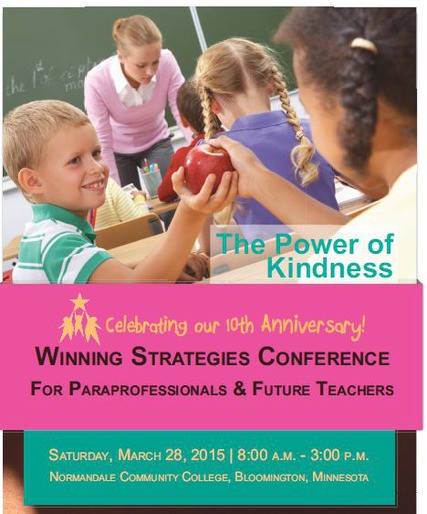
I will be presenting at the Metro ESCU 10th Annual Winning Strategies Conference later this month at Normandale Community College. 


"The goal and focus of the Winning Strategies Conference For Paraprofessionals & Future Teachers is to provide directly applicable, quality professional development through awareness sessions that lead to developing the knowledge and skills necessary to maximize student learning and achievement."


I will be presenting a session on Using iPads To Make Learning More Visual and will focus on a variety of free and low-cost iOS apps that can be used for screen casting and creating multimedia.


Image Source

Saturday, March 14, 2015

What I Learned At My First PLAYDATE

I spent the morning at PLAYDATE at TIES today.

Image Source

What is a PLAYDATE?
"PLAYDATE (People Learning and Asking ‘Y,” Digital Age Technology Exploration) is a space for us to come together and collaboratively explore these tools we’ve always wanted to learn more about. Modeled after an unconference or an EdCamp, the sessions will be participant-driven, exploration-based, and hands on."

This video helps explain what PLAYDATE is about:


Another blog entry coming soon with my learning from today, but overall I took away a few key ideas about what makes a PLAYDATE event successful:
1. Like an EdCamp, sessions are proposed and led by participants based on the interests of the group. 
2. Sessions are all about having a discussion, playing with the tool, device, software, etc., and trying things out. 
3. Time to just explore with no pressure is invaluable to thinking about how new technologies, devices, software, ideas fit it with curriculum and instructional practices. 
4. Having the new devices available allows you to explore and play without the pressure of having to vouch for the value-added component of something before you have even had a chance to try it out.  
5. People are key. Having knowledgable people who have tried things, devices, software to some extent already is critical. Being able to tap into their knowledge prevents you from floundering and losing out on the value of exploration with devices or software that have a lot of bells and whistles to figure out.

I give today a giant thumbs up and look forward to the next opportunity to play and learn.


Friday, October 24, 2014

K12 Online Conference Session Video Released - How Schools Are Preparing Students To Be Real World Ready

The K12 Online Conference is taking place over the next two weeks. The conference theme this year is "Igniting Innovation."

Image Source
My K12 Online Conference session this morning was about "How Schools Are Preparing Students To Be Real World Ready."


My session video is embedded below:

Friday, September 12, 2014

Learning Spaces Redesign Completed

Today Galtier Community School opened its doors to the community and Target to unveil the newly transformed Exploratorium space and the dramatically different classroom learning spaces, which are composed of shared spaces, interactive projectors, new seating and working arrangements, and glass walls.


It will be interesting to follow-up with the staff this year to see how not only the learning spaces but the instruction changes due to the open, shared classroom concept.

Thursday, July 10, 2014

Minnesota eLearning Summit Presentations - Easy Formative Assessment on Mobile Devices

I started thinking about my presentations for the Minnesota eLearning Summit today and the connections between formative assessment tools and Universal Design for Learning (UDL).
Image Source
Ensuring that classroom assessments are set up to ensure that no student's performance is hindered due to the design or format of the assessment itself is critical.

There are many iPad apps that make formative assessment easy for the teacher and very accessible for students.  I will be talking about how to successfully use the iPad for formative assessment with students and will be demonstrating a few apps that make it easy for teachers to gauge students' content understanding at the upcoming Minnesota eLearning Summit at the end of July.

Monday, June 30, 2014

Universal Design For Learning: Reaching All Learners Institute

Image Source
I am looking forward to attending the Universal Design for Learning: Reaching All Learners Institute next week at Harvard University.

Universal Design for Learning guidelines covers providing multiple means of representation, multiple means of action and expression, and multiple means of engagement to help all students have optimal learning environments and experiences.

Plus, did I mention the institute takes place on the campus of Harvard University in the School of Law - look out Elle Woods!


Monday, June 16, 2014

Minnesota eLearning Summit Presentations

I'm presenting at the Minnesota eLearning Summit coming up at the end of July.
Image Source
I will be doing two presentations. One will focus on easy ways to do formative assessment on iPads, Chromebooks, and other mobile devices with an assortment of fun and easy-to-use apps.

The second presentation will be about Bridging the Digital Divide and the efforts that have been underway this year by my department in my school district to accomplish more equitable access to devices, the implementation of personalized learning, and the role of student voice and choice in helping to engage students.

Friday, March 14, 2014

MAASFEP Conference

I will be presenting on some of the personalized learning work that we have been doing in my district at the MAASFEP Conference March 20.

Friday, October 18, 2013

TIES 2013 Fast Forward: Transforming Pedagogy with Technology

Image Source

I will be presenting at the TIES Technology Conference in mid December.  This year's theme is Fast Forward: Transforming Pedagogy with Technology.

I will be doing two presentations:
Personalized Professional Development and the iPad
Bridging the Digital Divide with a Racial Equity Lens

Presentation resources will be posted on the blog closer to the conference date.


Thursday, June 13, 2013

Google Translate Makes Blog Content Language-Friendly

Have you ever wanted to be fluent in a foreign language?  Well now you can be!

Not by spending  hours listening to self-paced Rosetta Stone language lessons or by living in a foreign country with a host family.  Thanks to a Google widget you can install in your blog layout, you can instantly become fluent in multiple foreign languages with the click of a simple drop-down menu widget that makes it quick and simple to translate the text content of your blog post on Google Blogger to another language.


You can quickly revert to the original language of your blog, especially if you're not as fluent as you used to be in the translated language and don't quite remember the original content of your blog, by simply clicking the X at the top right corner of your blog.


Imagine having a collaborating classroom partner in another country with students who speak an entirely different language than your own students do.  Now your students can easily use Google Blogger to create a blog of classroom writing and connections that can become instantly multi-lingual with a click of the Google Translate button, making the experience much more personalized for the collaborating classroom students while enabling global connections.