Monday, May 13, 2013

ISTE13 San Antonio - Things To Do And Places To Visit - Tower Of The Americas

Image
Do you have a fear of heights, snakes, or great food?

If you answered "no," then make sure that you squeeze in time during your ISTE visit to stop by the 750 foot tall Tower of the Americas and take a trip to the top to the Observation Deck to experience the 360 degree panoramic view of the city and learn about how the Texas state flag has changed over time.  You can get a preview of the amazing view here.

Make sure that you also allow time for the 4D Skies Over Texas Theater Ride that is included in your Tower visit ticket price. Spoiler alert - If you have a fear of snakes, go with a friend so you will know when it's safe to open your eyes again!

If you plan in advance, you can also make a reservation to dine at the Chart House and enjoy a great dinner and the rotating view at the same time.

If you do have a fear of heights, you can still stop by the gift shop on the first floor to pick up a souvenir.

More information about hours and ticket prices available here.


View Larger Map

Wednesday, May 8, 2013

ISTE13 San Antonio - Things To Do And Places To Visit - The River Walk

Image
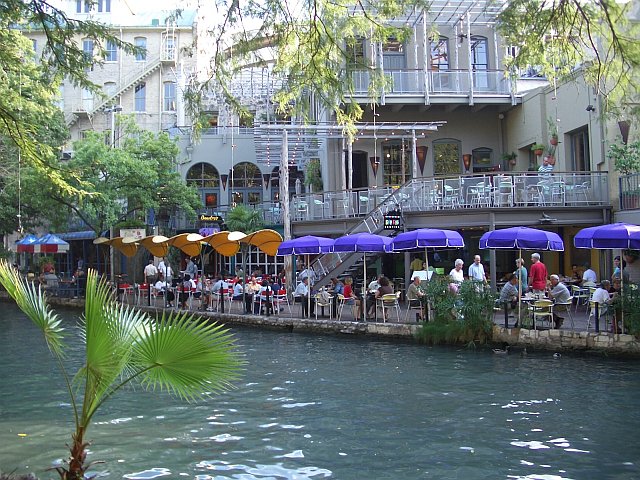
You can't visit San Antonio without taking a stroll along the number one tourist attraction in the entire state of Texas, the Paseo del Rio better known as the River Walk!

The River Walk is lined with outdoor tables with colorful umbrellas, restaurants, hotels, and shops.  You can even take a boat tour of the River Walk.

More information about the River Walk and a directory of hotels, restaurants, and shops located on the River Walk is available here.

Click here for maps showing the River Walk path along San Antonio streets and hotel locations.


Monday, May 6, 2013

ISTE13 San Antonio - Things To Do And Places To Visit - The Alamo

Image

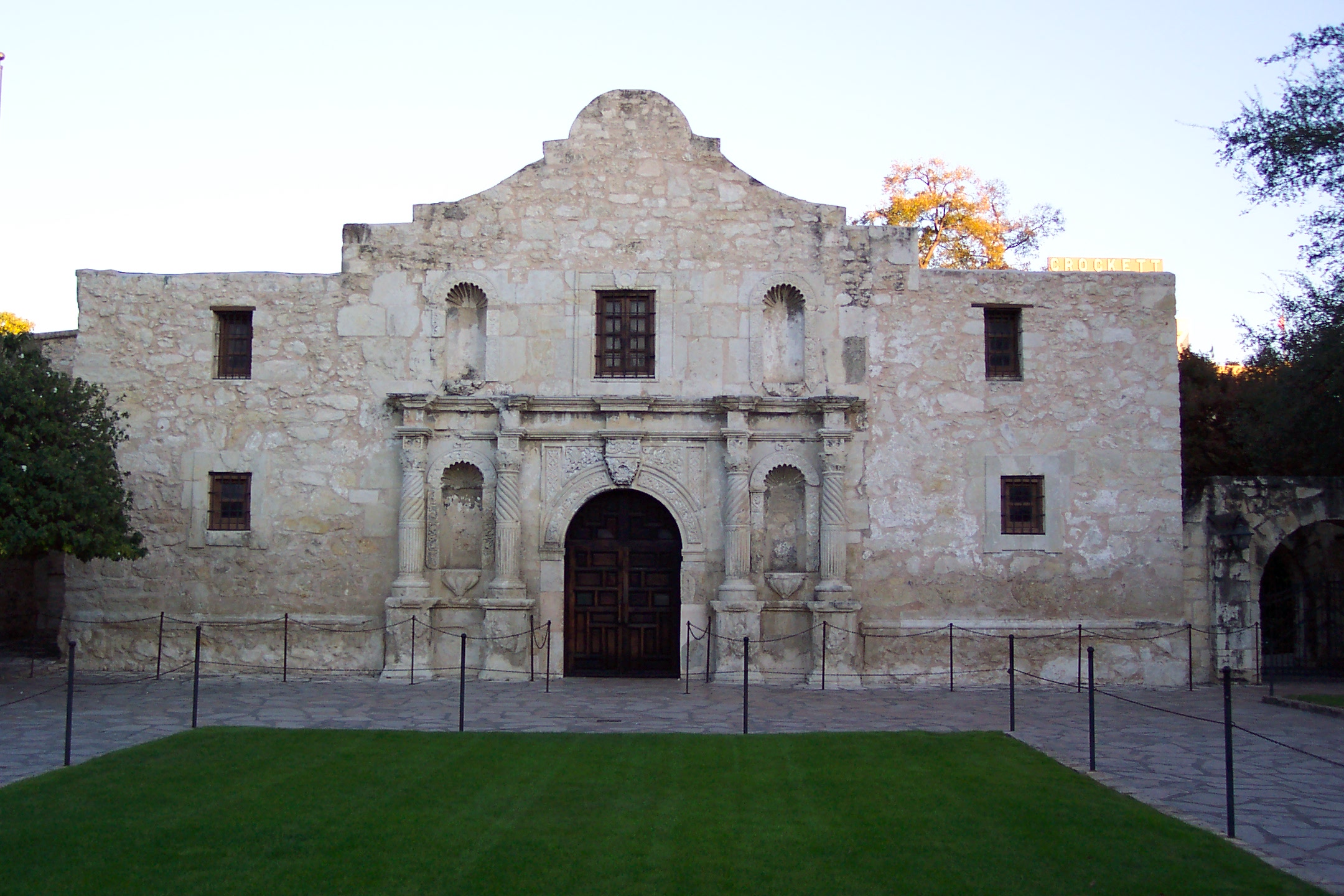
Remember The Alamo!


If you plan to incorporate a little sightseeing into your trip to ISTE, then you probably want to make time to visit one of the top "Must See" locations in San Antonio - The Alamo!

Although the battle in 1836 was lost, the historical mission still stands today as a symbol of courage and sacrifice for liberty.

Squeezing in a tour of the Alamo and posing for a quick photo or two with the famous backdrop may be a bit tricky though since the landmark tours take place between 9:00 to 5:30 Monday through Thursday, 10:00 to 5:30 on Sunday, and 9:00 to 7:00 on Friday and Saturday. If you're looking for a Coonskin Cap or Texas Ranger Badge souvenir, you may want to plan your visit early in the week just in case supplies run out!

Admission is free.  More details available here.


View Larger Map
Monday, April 29, 2013

ISTE 2013 - My Workshop Recommended By ISTE SIGDS

Image
Today, I pulled up the ISTE 2013 program search to review the description for one of my sessions and was surprised to notice the "SIG Pick" icon indicating that my Animated Video to Liven Up Your Curriculum and Student Learning mini workshop session has been endorsed by the ISTE Digital Storytelling Special Interest Group!

I'm really looking forward to this workshop.  It is such a fun way to meet Common Core multimedia standards while helping students to review, demonstrate, and better remember what they learned about their content material.

Saturday, April 6, 2013

Finding Creative Commons Licensed Images On Google Images

Image
How many times have you heard someone say that any images listed on Google are completely free to use because they are posted on the internet, right?  Not necessarily.

Here are some quick tips on how to find copyright friendly images on Google Images.


Searching For Creative 
Commons Licensed 
Images On Google Images


Pictures and images on Google.com are copyrighted by the owner even though they are published on the web.  One of the safest ways to use them in your work is to search for Creative Commons licensed images that give you the rights to repost and modify images as long as you give credit to the owner.

Here’s how to find images posted with Creative Commons licensing on Google:

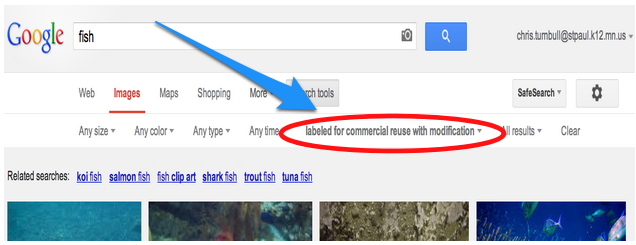
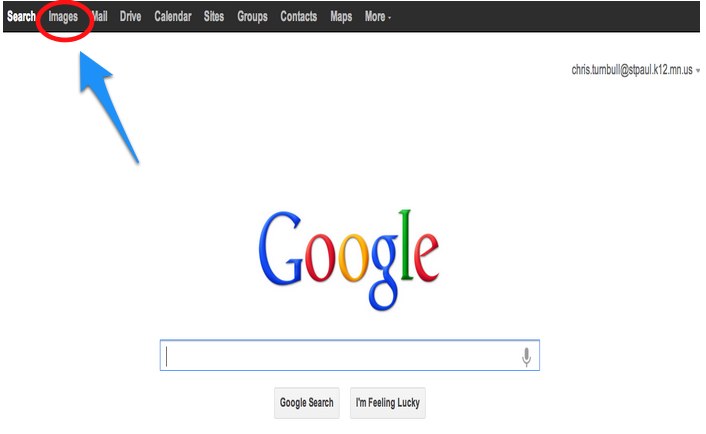
1. Go to Google - https://www.google.com/ and click Images in the Google toolbar.

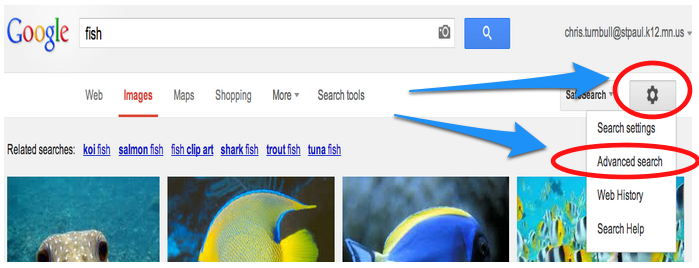
2. Type in your search topic and click the gear icon to Advanced Search options

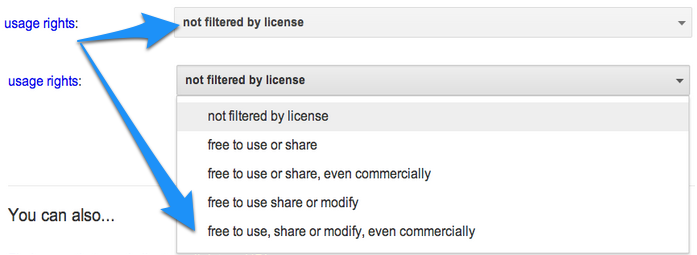
3. Use the drop down to change the usage rights that you are searching for. You may want to choose the most encompassing choice.


4. Click the Advanced Search button.

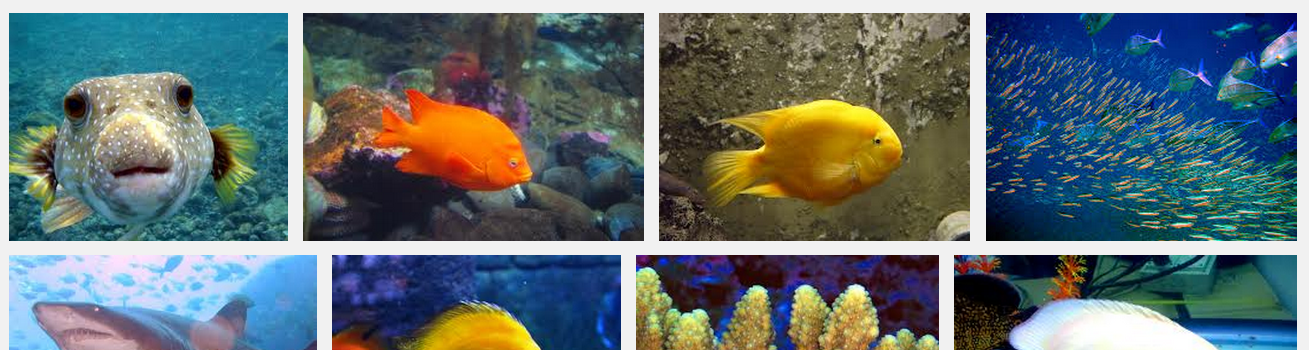
5. Notice that your search results now list the usage rights.


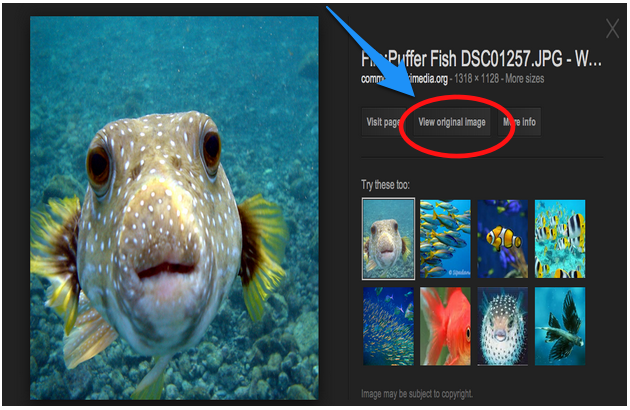
6. Click on the image that you want.


7. Click on the View Original Image button.


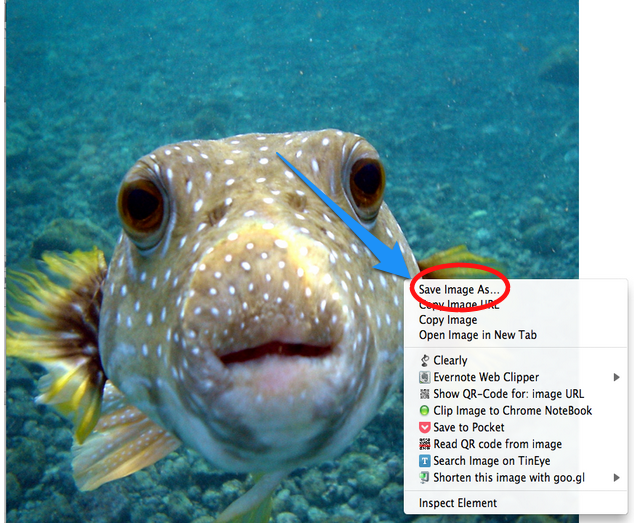
8. Hold the Control button and click on the picture (Mac) or right click (PC) on the picture and choose Save Image As (Chrome and Firefox) or Download Linked File As (Safari) to save the picture to your computer.


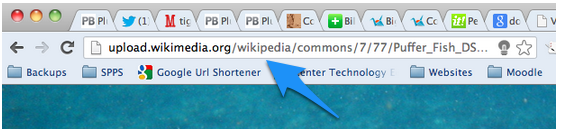
9. Copy the website address (URL) of your image and paste the address into your product to meet the minimum level of citing the source.


Tuesday, December 11, 2012

TIES 2012 - 100 Great Tools For Transforming And Flipping Instruction


Learn about 100 great free and low-cost online tools, software and web sites that can get you started flipping your classroom instruction and extending your professional development training to help your students and teachers take learning beyond the classroom walls and raise achievement levels.


Monday, December 10, 2012

TIES 2012 - Making Learning Visible, Convenient, Mobile, and Possible

Looking for ways to provide professional development that fits your teachers' busy schedules and conveys that information that they need to upgrade their skills and knowledge? Come explore multiple ways to deliver just-in-time and archived PD that allows teachers to access technology-enhanced lessons on their own schedule.

TIES 2012 Conference Wiki - http://wiki.ties.k12.mn.us/TIES2012_Making+Learning+Visible%2C+Convenient%2C+Mobile+and+Possible